
How to Create a Telegram Bot

Telegram bots let you automate replies, send alerts, collect leads, and connect users to your service without building a full mobile app first. The fastest way to start is through BotFather, which is Telegram's official bot creation assistant.
What you need before you start
- A Telegram account on mobile or desktop.
- A clear bot name and username. The username must end with bot, for example myhelperbot.
- A server, script, or no-code tool ready to receive bot messages if you want automation.
Step 1: Open BotFather
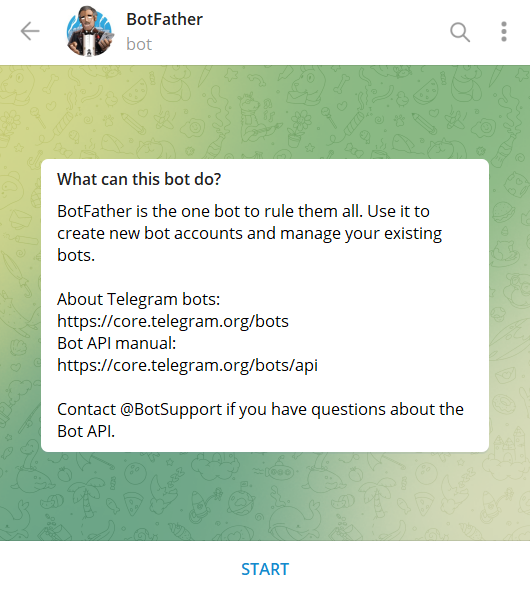
Search for @BotFather in Telegram and open the verified chat. Start the conversation and send the command /newbot.
Step 2: Set the bot name and username
BotFather will ask for two values:
- Bot name: the display name users will see.
- Username: the unique Telegram handle ending in bot.
Once both are accepted, BotFather returns an API token. Keep this token private because it gives full access to your bot.
Step 3: Save your bot token securely
Store the token in an environment variable instead of hardcoding it into your app. For example, use TELEGRAM_BOT_TOKEN in your server config or deployment platform.
Step 4: Choose how the bot will work
You have two common integration options:
- Polling: your app keeps checking Telegram for new messages. This is easier for local testing.
- Webhook: Telegram sends updates directly to your public HTTPS endpoint. This is better for production.
Step 5: Add basic commands and profile details
Use BotFather commands like /setdescription, /setabouttext, and /setuserpic to make the bot look complete. You can also use /setcommands to add slash commands such as /start, /help, and /support.
Step 6: Connect the bot to your app
After getting the token, connect it with a Telegram library such as node-telegram-bot-api, Telegraf, or a backend framework in Python, PHP, or Go. Your app can then receive messages, send replies, trigger workflows, or push notifications.
Step 7: Test the bot from a real chat
Open your bot using its username, press Start, and verify that:
- Commands respond correctly.
- Buttons and menus work on mobile.
- Unexpected input does not break your flow.
Common mistakes to avoid
- Using a username that does not end with bot.
- Exposing the API token in frontend code or public repositories.
- Forgetting to configure HTTPS when using webhooks.
- Skipping error handling for empty or invalid user messages.
Final thoughts
Creating a Telegram bot takes only a few minutes, but a useful bot depends on clear commands, secure token storage, and reliable backend logic. Start with BotFather, test a simple reply flow, then expand into automation, support, alerts, or lead capture.